
Cat Cute Tiles: Piano Games
Cobby LabsMusic
4.668.00 Reviews
- Version
- 0.3.6
- Installs
- 5.00M
- Age Rating
- Everyone
Screenshots
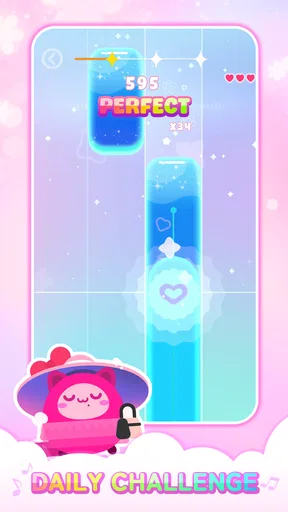
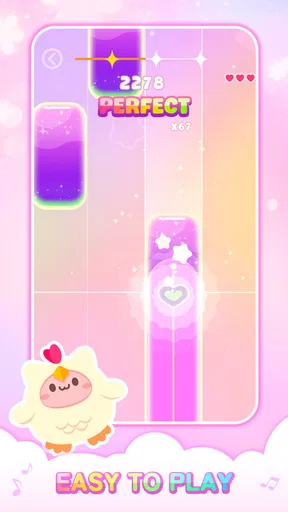
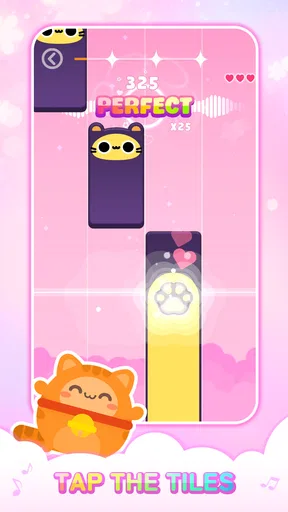
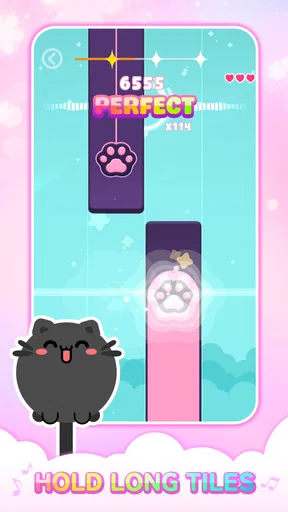
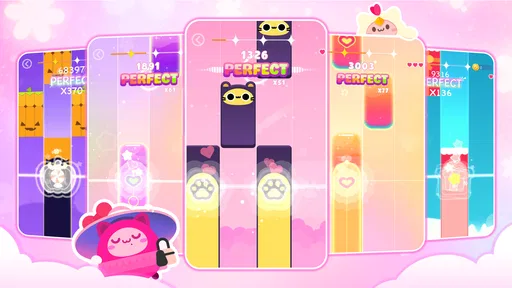
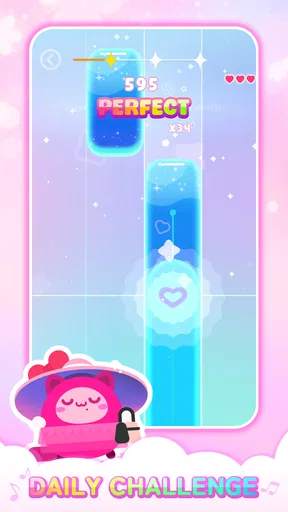
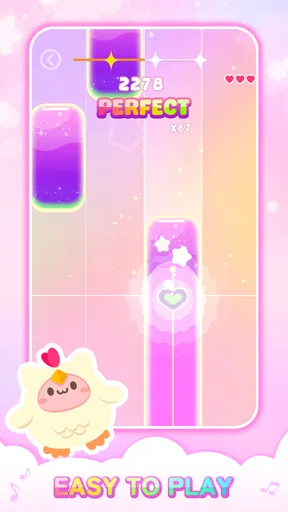
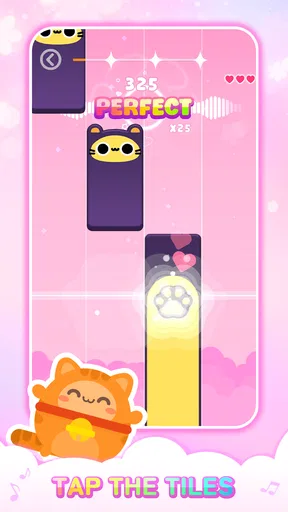
Our Review of Cat Cute Tiles: Piano Games
 Analysis by Appyee
Cat Cute Tiles: Piano Games is the kind of music game I reach for when I want a quick distraction rather than a full-length gaming session. Developed by Cobby Labs, it combines a cheerful cat theme with tile-tapping rhythm play, giving familiar piano-game ideas a softer, more playful personality. The game is free, rated for Everyone, and sits in the music category, so it is easy to understand even if you have never played this style before.
My first impression is that its appeal comes from the simple loop: listen, watch the tiles, and tap in time. That sounds basic, but it creates a useful balance between relaxation and concentration. A song can feel calm for a few seconds, then demand much sharper attention as the pattern becomes less forgiving. I would recommend it most to people who like short rhythm challenges, cute visual themes, and games that can be understood without a long tutorial.
How the rhythm play feels in everyday use
The central idea is straightforward. Notes appear as tiles, and I tap them as they reach the active area. The cat presentation makes the experience feel lighter than a serious piano-training app, while the timing still gives each song a clear sense of momentum. It is not trying to teach me how to play a real instrument, and that distinction matters: this is a reaction game with musical presentation, not a replacement for piano lessons or a full music-production tool.
The best use case is a short break. I can imagine opening it while waiting for a friend, taking a few rounds during a commute, or playing before bed when I want something more interactive than scrolling. Because the basic action is immediately readable, I do not need to spend several minutes remembering controls. That quick entry is one of its strongest practical qualities.
At the same time, rhythm games are unusually sensitive to interruptions. A delayed touch response, a busy screen, or a moment of divided attention can turn an otherwise successful run into a mistake. I found that the game works better when I treat each round as a small focus exercise instead of background entertainment. If I am trying to chat, watch another video, or play with one hand while carrying something, the timing challenge loses much of its charm.
One useful habit is to begin with a short session rather than immediately chasing a long run. The opening rounds help me settle into the visual rhythm and notice whether my device is responding comfortably. Once my hands are warmed up, more demanding patterns feel less abrupt. This is a small adjustment, but it makes the game feel more consistent than jumping in while distracted.
Speed, touch response, and the feel of a round
Perceived speed is not only about how quickly tiles move. It also depends on how clearly I can read the next action and how naturally the tap fits the beat. Cat Cute Tiles: Piano Games benefits from a clean, uncomplicated premise because there is little to learn before the challenge begins. I can focus on the sequence instead of decoding a complicated interface.
The trade-off is that a simple control scheme leaves nowhere to hide when I miss. In a larger adventure or strategy game, a mistake may come from a bad plan and can sometimes be repaired. Here, a missed tile is much more immediate. That makes the game satisfying when my timing is good, but it can also feel demanding during a tired session.
I would not choose it when I want a slow, completely passive game. Even a short round asks for attention, especially once the patterns become quicker. For me, that is a strength during a break when I want to reset my focus, but a weakness when I am looking for something soothing that I can play without concentrating.
Another practical tip is to use a steady grip and tap with the same finger position whenever possible. Moving the phone around between taps makes a rhythm game feel less reliable, even when the game itself is behaving normally. Keeping the screen stable gives me a better sense of whether a mistake came from my timing or from my handling of the device.
What happens during longer or heavier play sessions
A few rounds are easy to fit into a busy day, but a longer session changes the experience. Repeated tapping can make the game feel more intense than its cute appearance suggests. My attention starts to narrow, and small lapses become more noticeable. This is where the title works well as a compact challenge but less well as an all-evening game for players who need constant variety.
Heavy use also exposes the limits of the format. The core action remains familiar from one round to the next, so the enjoyment depends heavily on whether I like improving my timing and repeating attempts. Players who need a story, character progression, exploration, or a broad collection of unrelated activities may find the experience too focused. The cat theme adds personality, but it does not turn the game into a different genre.
I see this as a game that rewards controlled sessions. Playing until my timing becomes sloppy is not especially productive; stopping after a good run leaves a better impression. For children, the Everyone rating makes the presentation approachable, but adults may still want to set a reasonable play limit if the game becomes a repetitive source of tapping and retries.
When I use a rhythm game in a public place, sound becomes an important consideration. The visual timing should be the main guide, but music games are naturally more enjoyable when I can hear the beat. In a quiet setting, headphones can help me concentrate without disturbing people nearby. In a noisy setting, however, outside sound can make timing harder, so I would avoid judging the game’s difficulty while surrounded by distractions.
Stability, recovery, and what I would watch for
There is a difference between a game feeling difficult and a game feeling unreliable. In this title, the simple tap-based structure makes that distinction easy to notice. If I miss because I looked away, that feels fair. If the phone is busy or the screen is being touched inconsistently, the same miss can feel frustrating. My advice is to give the game a few uninterrupted rounds before deciding whether the difficulty suits you.
The current version is 0.3.6, and the game has already attracted over 5 million installs with an average rating of 4.6 from around 20 thousand ratings. Those figures suggest that the basic concept has found a substantial audience, but they do not remove the need to judge it on your own device and playing style. Rhythm games depend on touch behavior, screen condition, and personal timing more than many slower genres do.
If a session is interrupted, I prefer to treat the next attempt as a fresh start rather than expecting to resume the same concentration immediately. A phone call, notification, or accidental screen change can break the musical flow. The recovery process is therefore partly about the player: place the device securely, return attention to the tile path, and begin another short run. This approach is more useful than assuming every mistake indicates a technical problem.
I would also avoid switching rapidly between demanding rounds and other touch-heavy apps if the phone is already feeling warm or sluggish. That is not a special claim about this game; it is simply sensible behavior for any timing-based title. The less competition there is for attention and touch accuracy, the easier it is to evaluate the actual gameplay.
Device limits and who should install it
The game supports devices running Android 6.0 or later, which gives it a broad compatibility range among Android users. That makes it a practical option for people who do not own a recent flagship phone. Still, compatibility is only the starting point. Older or entry-level devices may provide a different experience from newer hardware, particularly when the phone is handling several tasks at once.
For a fair first test, I would close unnecessary apps, keep the screen clean, and play a few rounds while the phone is not busy with downloads or other demanding activity. This does not require technical knowledge, and it helps separate ordinary device strain from the game’s own feel. If the controls seem inconsistent even in a quiet session, the game may not be the right fit for that device or for your expectations.
Resource demands matter most when a game is used casually on an older phone. A player may not care about advanced graphics, but they will care about whether the tiles remain readable and the taps feel dependable. Cat Cute Tiles: Piano Games has an advantage here because its identity is built around simple visual communication rather than a large three-dimensional world. Even so, I would not promise identical smoothness across every Android handset.
It is also worth remembering that this is a free game. That makes it easy to try without committing money, but free games are not automatically the best choice for every player. Someone who dislikes retry-based rhythm play, prefers offline certainty, or wants detailed control over music selection may be happier with a different kind of music app or a more traditional piano game. I would install this one for quick, cheerful tapping—not for serious practice or deep musical customization.
The age rating of Everyone fits the friendly presentation. I would feel comfortable suggesting it to families looking for a simple music-themed game, while still recommending that parents decide how much screen time works for their household. The accessible style may attract younger players, but the timing challenge can also appeal to adults who enjoy improving a small skill through repetition.
How it compares with other music-game choices
Compared with a piano-learning app, this game is much easier to enter but far less educational. It can improve attention to rhythm and hand timing in a general sense, yet it does not replace lessons, sheet music, or structured instrument practice. If your goal is to learn notes or build real keyboard technique, choose a learning-focused tool instead.
Compared with a large rhythm game built around characters, stories, or extensive customization, this title feels more direct. That can be refreshing when I want to play immediately, but it may seem limited if I need a strong long-term progression system. The cat theme is the main personality, while the tapping loop remains the reason to return.
Compared with a conventional puzzle game, it asks for more precise timing and offers less room to pause mentally between actions. Compared with a music-streaming app, it is interactive rather than passive. These differences make the choice fairly clear: use it when you want to participate in the music, not merely listen to it.
One non-obvious advantage is how well the game can serve as a short attention reset. I can play one focused round after a long stretch of reading or routine work and return with my mind temporarily shifted away from the previous task. The limitation is that this only works when the game remains a contained break. If I keep retrying after frustration sets in, the reset becomes another source of tension.
Another trade-off is accessibility of understanding versus accessibility of execution. Almost anyone can understand what to do, but not everyone will find rapid tapping comfortable. Players with limited finger movement, touch sensitivity, or difficulty following fast visual patterns may prefer a slower music experience. The clear concept helps, but it cannot remove the physical demands of rhythm play.
My performance verdict after using it as a quick-play game
My overall view is positive, with a clear boundary around what this game is meant to provide. Cobby Labs has made a music game that is approachable, visually cheerful, and easy to start. Its strongest performance quality is perceived responsiveness through simplicity: there are no complicated systems between me and the next tap. That makes it a good companion for short sessions on a compatible Android device.
I would be more cautious about recommending it to someone who expects a deep catalogue of modes, a serious instrument simulator, or a calm game that can be played without concentration. The repeated rhythm loop can become narrow during long sessions, and individual device behavior matters because timing games reveal small interruptions more clearly than many other apps.
The free price lowers the risk of trying it, and the broad Android requirement makes it accessible to many users. The large install base and strong average rating show that the concept has connected with plenty of players, while the modest version number is a reminder to keep expectations focused on the core experience rather than assuming it is a complete musical platform.
My recommendation is simple: try it if you want cute cat visuals wrapped around quick piano-style tapping, and judge it during a few uninterrupted rounds. It is at its best as a compact rhythm challenge, a small focus break, or a friendly first step into music games. I would skip it in favor of a learning app, a deeper rhythm title, or a more relaxed puzzle game if those are the experiences you actually want. For the right player, though, its directness is exactly the point.
Verdict
Strengths of Cat Cute Tiles: Piano Games
- Cute cat visuals make the game appealing to younger players.
- Simple tile-tapping controls are easy to learn immediately.
- Short songs fit well into quick gaming sessions.
- Progressive difficulty can help improve timing and reflexes.
- Offline play is useful when you have no internet connection.
Limitations of Cat Cute Tiles: Piano Games
- Frequent ads may interrupt gameplay, especially between songs.
- Some songs or features may require in-app purchases to unlock.
- Repetitive tapping can become monotonous after extended play.
- Fast sections may feel frustrating for younger or casual players.
- The game may collect usage data depending on device permissions.
Other Releases by Cobby Labs
View All
Dancing Cats - Cute Music Game
Music4.6

Rolling Twins: Music Ball Rush
Music4.6

Piano Hop - Music Jump Ball
Music4.5

Goods Master 3D: Puzzle Games
Casual3.9
Similar Picks in This Category
View All
Tiles Hop Music & Ball Game
AMANOTES PTE. LTD.4.3

Magic Tiles 3™ - Piano Game
AMANOTES PTE. LTD.4.6

Real Piano
Bilkon3.7

Piano Game: Classic Music Song
Dream Tiles Piano Game Studio4.0

Smash Colors: Music Ball Rush
BADSNOWBALL HONGKONG LIMITED4.2

Piano Music Go-EDM Piano Games
Joy Journey Music Games4.5
Frequently Asked Questions
What is Cat Cute Tiles: Piano Games?
Cat Cute Tiles: Piano Games is a casual rhythm game that combines piano-tile gameplay with adorable cat-themed visuals. You tap the correct black or colored tiles in time with the music while trying to avoid mistakes and maintain your streak. It is designed for short, relaxing sessions, although faster songs and higher levels can become surprisingly challenging.
How do you play Cat Cute Tiles: Piano Games?
The main gameplay is based on tapping tiles as they appear and moving quickly enough to follow the rhythm of each song. Depending on the mode, you may need to avoid empty spaces, reach a target score, or complete a song without missing notes. The controls are simple to learn, but success requires concentration, accurate timing, and practice as the speed increases.
Does Cat Cute Tiles: Piano Games require an internet connection?
The game may allow some basic features or previously loaded content to work offline, which is useful when you want to play during travel or without mobile data. However, an internet connection can be required for advertisements, downloading songs, receiving updates, accessing online features, or synchronizing progress. Availability may also vary by device and game version.
Is Cat Cute Tiles: Piano Games free to download and play?
Cat Cute Tiles: Piano Games can generally be downloaded without an upfront purchase, but free gameplay may include advertisements, optional in-app purchases, or limits on certain content. Players should check the store listing before installing to review current pricing details. If the game offers purchases, it is also worth checking whether they remove ads or unlock additional songs and items.
Is Cat Cute Tiles: Piano Games suitable for children?
The colorful cat characters and straightforward controls make Cat Cute Tiles: Piano Games appealing to children and casual players. Nevertheless, parents should review the app’s age rating, advertising behavior, privacy information, and any available in-app purchases before allowing regular use. Rhythm games can also encourage repeated play, so setting reasonable screen-time and purchase restrictions is recommended.
Play our best games!


